
Are you tired of constantly rearranging your workspace to find the perfect ergonomic setup? Do you find yourself struggling with limited desk space and discomfort from fixed monitor positions? The challenge of achieving optimal ergonomics while maximizing space efficiency is a common dilemma faced by many professionals today. The lack of flexibility in monitor placement not only hampers productivity but can also lead to long-term health issues such as neck strain, eye fatigue, and back pain. If you’re nodding your head in agreement, it’s time to address this pressing issue head-on.
Imagine the frustration of trying to focus on your work while constantly adjusting your body to accommodate an ill-placed monitor. The strain on your neck and shoulders, the nagging discomfort that refuses to go away – these are all symptoms of a workspace that is not tailored to your unique needs. The consequences of neglecting proper ergonomics can be far-reaching, impacting not just your physical health but also your overall well-being and efficiency. But fear not, there is a solution that promises to revolutionize your workspace and transform the way you work. Enter monitor arms – the versatile, adjustable, and space-saving solution that allows you to free up valuable desk space and customize your monitor position to the millimeter. Say goodbye to cramped workstations and hello to a more comfortable, efficient, and productive work environment. Get ready to unlock the full potential of your workspace and take your ergonomic setup to the next level with articulating monitor arms.
Benefits of Using Monitor Arms
Enhance Ergonomics: Monitor arms help in adjusting the height, tilt, and rotation of the screen, allowing users to maintain proper posture and reduce strain on the neck, shoulders, and eyes. This ergonomic setup can lead to increased comfort and productivity during long hours of work.
Maximize Desk Space: By lifting the monitor off the desk and allowing for easy adjustments, monitor arms create more usable workspace. This can help in better organization of the desk area, promoting a cleaner and clutter-free environment, which can contribute to a more focused and efficient work environment.
Types of Monitor Arms
Single Monitor Arms
Designed to hold and adjust a single monitor, these arms are ideal for individual workstations or home offices where only one screen is needed. They offer flexibility in terms of height, tilt, and rotation to accommodate different user preferences.
Dual Monitor Arms
Perfect for users who require multiple screens for multitasking or comparing information side by side. Dual monitor arms allow for independent adjustments of each screen, providing a customized viewing experience. They help in maximizing productivity by eliminating the need to switch between tabs or windows.
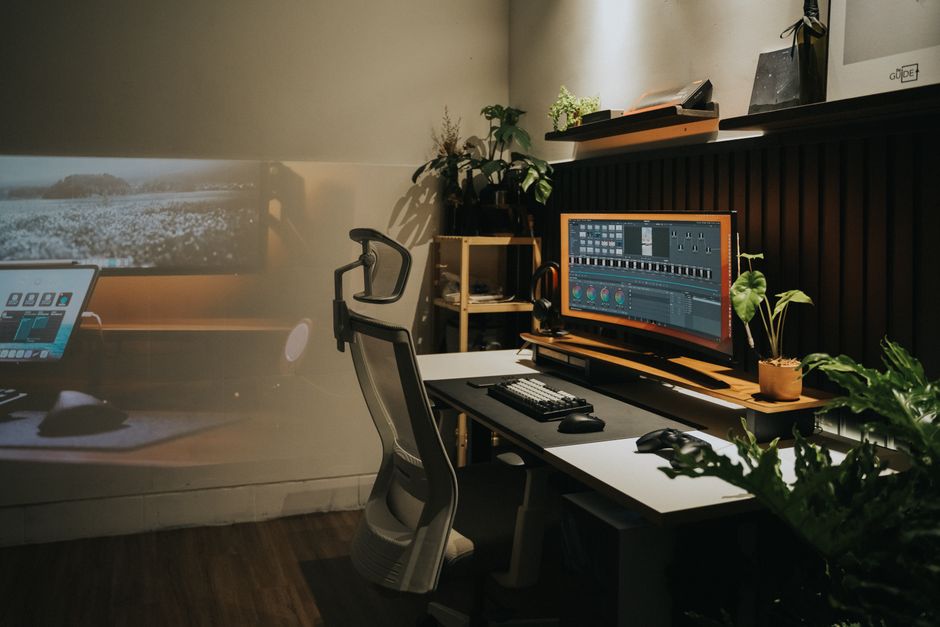
Types of Monitor Arms
When it comes to choosing the right monitor arm for your setup, you’ll encounter various types designed to cater to different needs. One common type is the single monitor arm, ideal for individuals who work with a single display. Dual monitor arms, on the other hand, provide the flexibility to use two monitors simultaneously, enhancing productivity and multitasking capabilities. Triple and quadruple monitor arms are suitable for professionals requiring multiple displays for complex tasks or monitoring various data streams simultaneously.
Factors to Consider Before Buying a Monitor Arm
Before investing in a monitor arm, there are several crucial factors to consider to ensure you get the most out of your purchase. Firstly, assess the weight and size of your monitor to choose a compatible arm that can support it securely. Consider the adjustability options such as height, tilt, and swivel to find a monitor arm that provides ergonomic benefits and enhances comfort during long work hours. Additionally, check the mounting compatibility with your desk or wall to ensure easy installation without any compatibility issues.
Installation Guide for Monitor Arms
Step 1: Start by clearing your desk space and ensuring there is enough room for the monitor arm to be attached securely. Locate the mounting hole on the back of your monitor and align it with the VESA plate on the monitor arm. Make sure the screws are tightly secured to hold the monitor in place.
Step 2: Next, position the monitor arm on your desk where you want it to be installed. Use a pencil to mark the drilling spots for the arm base. Drill pilot holes as marked and attach the arm base securely to the desk using the provided screws.
Step 3: Once the arm base is securely attached, connect the monitor arm to the base following the manufacturer’s instructions. Ensure all connections are tight and secure. Adjust the height and angle of the monitor arm to your desired position for optimal viewing comfort.
Maintenance Tips for Monitor Arms
Regular Cleaning: Keep your monitor arm clean by wiping it down with a soft, damp cloth to remove dust and dirt. Avoid using harsh chemicals that may damage the finish of the arm. Check for any loose screws or connections and tighten them as needed to maintain stability.
Monitor Adjustment: Periodically readjust the monitor arm to ensure it is at the correct height and angle for comfortable viewing. Avoid overloading the arm with a monitor that exceeds its weight capacity, as this can lead to damage and instability. Follow the manufacturer’s guidelines for maintenance and care to prolong the lifespan of your monitor arm.
Maintenance Tips for Monitor Arms
Regular Cleaning: It’s essential to regularly clean your monitor arm to prevent dust and dirt buildup. Use a soft cloth and a mild cleaning solution to wipe down the arm and remove any grime or residue that may accumulate over time.
Inspect for Wear and Tear: Periodically inspect the monitor arm for any signs of wear and tear, such as loose screws, damaged joints, or worn-out parts. Addressing these issues promptly can help prolong the lifespan of your monitor arm and ensure optimal performance.
Avoid Overloading: Avoid overloading your monitor arm beyond its weight capacity to prevent strain on the joints and mechanisms. Be mindful of the recommended weight limits and adjust accordingly to maintain the functionality and stability of your monitor arm.
Monitor arms are essential accessories that can greatly enhance your workspace experience by providing ergonomic benefits, optimizing desk space, and improving overall productivity. By choosing the right type of monitor arm and considering important factors before making a purchase, you can ensure a comfortable and efficient setup.
Remember to follow the installation guide carefully to properly set up your monitor arm and make adjustments as needed for optimal viewing angles. Regular maintenance and adherence to maintenance tips will help prolong the lifespan of your monitor arm, ensuring long-term usability and functionality. In conclusion, investing in a quality monitor arm is a worthwhile decision that can positively impact your work environment and well-being.