
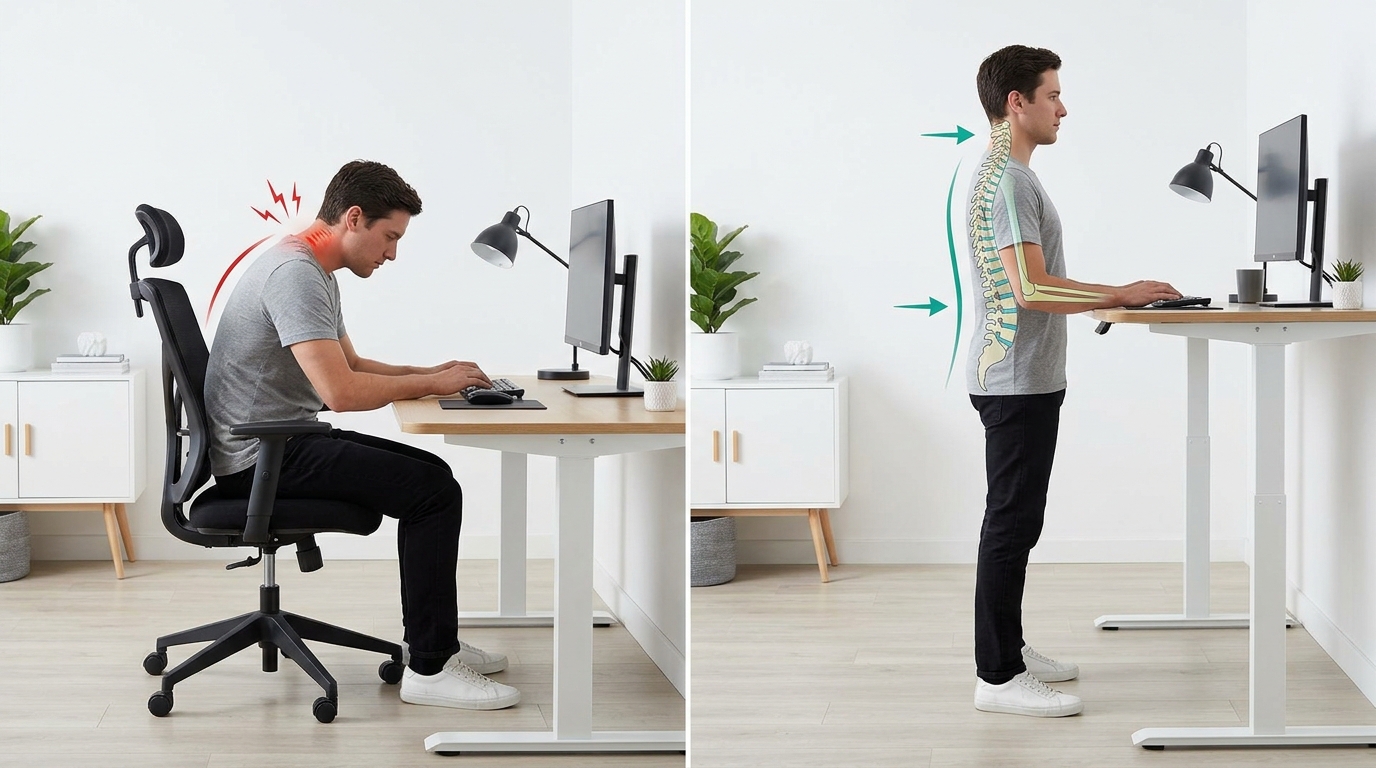
Do you find yourself constantly battling the clacking noise of your keyboard during those long workdays, desperately seeking a solution to maintain focus and productivity? The core problem for many typists lies in the disruptive sound of traditional keyboards, hindering their ability to type efficiently and effectively. Imagine the frustration of trying to concentrate on an important task, only to be constantly distracted by the loud and distracting noise emanating from your keyboard with each keystroke. This common issue faced by many professionals can lead to decreased productivity, increased stress levels, and a general feeling of irritation throughout the workday.
But fear not, there is a solution that can revolutionize your typing experience and enhance your productivity levels to new heights. Introducing mechanical keyboards with silent switches and ergonomic design features tailored for those marathon work sessions. By incorporating these advanced technologies, you can enjoy a quiet typing experience that not only eliminates the disruptive noise but also provides a comfortable and supportive platform for your hands and wrists. Say goodbye to distractions and discomfort, and hello to a new era of seamless typing that allows you to focus on your work without any unnecessary interruptions. Get ready to transform your typing experience and elevate your productivity like never before with the perfect blend of silence and ergonomics in your mechanical keyboard setup.
Types of Mechanical Switches for Silent Typing
When it comes to mechanical keyboards, the type of switches used can greatly impact the typing experience. For those seeking a quieter typing experience, there are specific mechanical switches designed for silent typing. These switches are engineered to reduce the noise typically associated with mechanical keyboards, making them ideal for office environments or shared workspaces where noise levels need to be kept to a minimum.
Some popular types of mechanical switches for silent typing include Cherry MX Silent Red, Cherry MX Silent Black, and Gateron Silent switches. These switches are designed to minimize the sound of both keystrokes and key bottoming out, providing a more discreet typing experience without compromising on the tactile feedback and responsiveness that mechanical keyboards are known for.
Ergonomic Features of Mechanical Keyboards
Mechanical keyboards are not only appreciated for their performance but also for their ergonomic design features that can enhance comfort and reduce strain during long typing sessions. Many mechanical keyboards are equipped with ergonomic features such as adjustable tilt angles, split layouts, and wrist rests to promote a more natural hand and wrist position while typing.
Additionally, mechanical keyboards with customizable key mappings and programmable macros allow users to optimize their typing experience based on their individual preferences and typing habits. These ergonomic features can help prevent fatigue, wrist pain, and other repetitive strain injuries commonly associated with extended keyboard use, making mechanical keyboards a popular choice for users who prioritize comfort and productivity.

Types of Mechanical Switches for Silent Typing
When it comes to mechanical keyboards, the type of switch you choose can greatly impact your typing experience. For those who prefer a quieter typing experience, there are mechanical switches specifically designed for silent typing. These switches typically feature dampening materials to reduce noise while maintaining the tactile feedback and satisfying keypress feel that mechanical keyboards are known for.
Some popular options for silent mechanical switches include Cherry MX Silent Red, Cherry MX Silent Black, and Gateron Silent Brown. These switches are ideal for office environments or shared workspaces where noise levels need to be minimized without sacrificing typing comfort and efficiency. Whether you are a light typist or a heavy-handed typist, there is a silent mechanical switch option that suits your typing style and preferences.
Ergonomic Features of Mechanical Keyboards
Mechanical keyboards are not only known for their durability and performance but also for their ergonomic design features that can enhance typing comfort and reduce strain on the hands and wrists. Many mechanical keyboards come with adjustable stands or wrist rests to promote a more natural typing position and reduce the risk of repetitive strain injuries.
Additionally, some mechanical keyboards offer customizable key layouts and programmable keys, allowing users to create a setup that suits their individual ergonomic needs. Features such as split keyboards, tenting, and adjustable key actuation points are also available in certain mechanical keyboard models to cater to users who prioritize ergonomic considerations in their typing setup. By investing in a mechanical keyboard with ergonomic features, users can improve their overall typing experience and reduce the likelihood of discomfort or injury during long typing sessions.
Best Mechanical Keyboards for Long Workdays
If you’re looking for the best mechanical keyboard to power through long workdays, you’ll want to consider a few key factors. Look for a keyboard with durable construction, comfortable key switches, and customizable features to suit your typing preferences. Some popular options include the Corsair K95 RGB Platinum XT, known for its premium build quality and customizable RGB lighting. Another great choice is the Logitech G Pro X, which offers hot-swappable switches for easy customization.
For those who prefer a more compact design, the Keychron K2 is a versatile choice with wireless connectivity and a sleek aluminum frame. If you’re a fan of ergonomic keyboards, the Kinesis Advantage2 is a top pick with its unique contoured design and programmable keys. Investing in a high-quality mechanical keyboard can significantly enhance your typing experience and productivity during those marathon work sessions.
Maintenance Tips for Mechanical Keyboards
Regular Cleaning: To keep your mechanical keyboard in top condition, it is essential to clean it regularly. Use a small brush to remove dust and debris from between the keys. You can also use compressed air to blow out any stubborn particles.
Keycap Maintenance: Remove the keycaps periodically to clean underneath them. This will prevent dirt and grime from building up and affecting the performance of your keyboard. You can use a keycap puller for easy removal and cleaning.
Avoid Spills: Accidental spills can damage your mechanical keyboard. To prevent this, be cautious when eating or drinking near your keyboard. If a spill does occur, immediately disconnect the keyboard, remove the keycaps, and thoroughly clean and dry the affected areas before reconnecting.
Enhancing Typing Experience with Mechanical Keyboards
Mechanical keyboards are a game-changer when it comes to enhancing your typing experience. Their tactile feedback, durability, and customizable features make them a top choice for professionals and enthusiasts alike. Whether you’re a writer, programmer, or avid gamer, a mechanical keyboard can significantly improve your typing speed, accuracy, and overall comfort.
Investing in a high-quality mechanical keyboard is not just about having a more efficient tool for typing; it’s about elevating your entire computing experience. With the right mechanical keyboard, you can say goodbye to fatigue, wrist strain, and inconsistent keypresses. Make the switch to a mechanical keyboard today and feel the difference in every keystroke.