

Are you tired of constantly switching between tabs and windows while working on your computer? Do you find yourself struggling to manage multiple tasks efficiently due to limited screen space? If so, you’re not alone. Many individuals face the challenge of maximizing their productivity in a digital world where multitasking is essential. The traditional setup of a single monitor may no longer suffice for those seeking seamless workflow and enhanced productivity.
Imagine the frustration of having to juggle between applications, documents, and communication channels on a cramped screen. The constant back and forth between windows not only disrupts your focus but also slows down your progress. This inefficiency can lead to missed deadlines, increased stress levels, and a dip in overall work quality. The struggle is real, but fear not, there is a solution that can revolutionize the way you work. Enter the debate of ultrawide monitors versus dual-screen setups – two powerful options that offer the promise of enhanced productivity and streamlined workflow. By understanding the pros and cons of each, you can choose the setup that best suits your needs and supercharges your efficiency. Get ready to discover a game-changing solution that will take your productivity to new heights!
Benefits of Ultrawide Monitors
Ultrawide monitors offer a wide range of benefits for users looking to enhance their productivity and overall viewing experience. One of the key advantages is the expansive screen real estate they provide, allowing for seamless multitasking and improved workflow efficiency. With more screen space, users can easily have multiple windows and applications open simultaneously without the need to constantly switch between tabs or screens. This makes tasks such as video editing, graphic design, and data analysis much more convenient and streamlined.
Additionally, ultrawide monitors offer a more immersive gaming and entertainment experience, thanks to their wider field of view and cinematic aspect ratio. Whether users are watching movies, playing games, or simply browsing the web, the ultrawide display creates a more engaging and visually stunning atmosphere. Overall, the benefits of ultrawide monitors lie in their ability to boost productivity, enhance creativity, and elevate the overall user experience to new heights.
Benefits of Dual Screen Setup
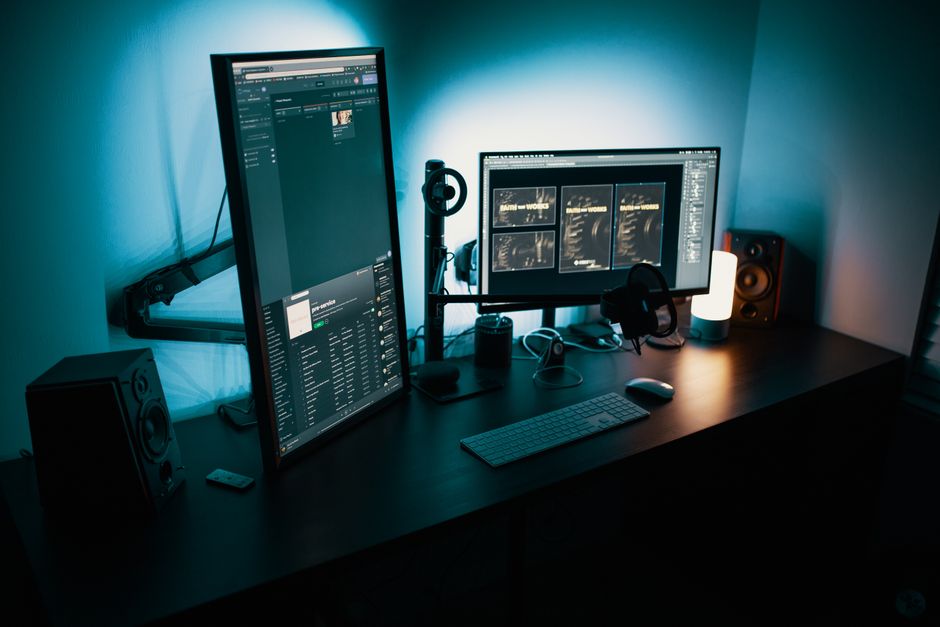
Employing a dual screen setup can significantly enhance productivity and multitasking capabilities for users across various industries. By utilizing two screens, users can have multiple applications and documents open side by side, allowing for easy reference and seamless transition between tasks. This setup is particularly beneficial for professionals working in fields such as programming, finance, design, and content creation, where the ability to compare information or work on multiple projects simultaneously is crucial.
Furthermore, a dual screen setup can improve workflow efficiency by reducing the need to constantly switch between tabs or windows, ultimately saving time and increasing overall productivity. Whether users are conducting research, analyzing data, or simply organizing their workspace, the dual screen configuration offers a versatile and flexible solution to meet their needs. In conclusion, the benefits of a dual screen setup revolve around improved multitasking, enhanced workflow management, and a more efficient work environment.
Benefits of Dual Screen Setup
Dual screen setup offers increased productivity and multitasking capabilities for users. By having two separate screens, users can easily work on multiple tasks simultaneously without the need to constantly switch between windows. This setup is particularly beneficial for professionals who need to reference multiple documents or applications at the same time. Additionally, dual screens allow for better organization of workspaces, with one screen dedicated to the main task and the other for reference materials or communication tools.
Furthermore, dual screen setups can enhance creativity and collaboration among users. Designers, developers, and content creators can benefit from the extended workspace to visualize their projects more effectively. In a collaborative work environment, dual screens enable team members to share information and ideas more efficiently. Overall, the benefits of a dual screen setup extend beyond productivity to facilitate a more seamless and interactive work experience.
Benefits of Ultrawide Monitors
Increased Productivity: Ultrawide monitors provide a wider field of view, allowing users to multitask more efficiently. With more screen real estate, users can have multiple windows open side by side, reducing the need to constantly switch between applications.
Enhanced Gaming Experience: Gamers can enjoy a more immersive gaming experience with ultrawide monitors, as they offer a wider field of view and greater detail. The ultrawide aspect ratio also eliminates the need for a dual monitor setup for gaming enthusiasts.
Benefits of Dual Screen Setup
Improved Workflow: Dual screen setups are ideal for tasks that require comparing information from multiple sources simultaneously. Users can have different applications open on each screen, promoting better organization and workflow efficiency.
Enhanced Collaboration: Dual screens are beneficial for collaborative work environments, allowing team members to share screens more effectively during meetings or brainstorming sessions. This setup enhances communication and teamwork among colleagues.
Comparison of Ultrawide Monitors and Dual Screen Setup
Flexibility: While ultrawide monitors offer a seamless viewing experience with no bezels in the middle, dual screen setups provide more flexibility in terms of arranging and customizing the display of content. Users can easily adjust the position and orientation of each screen to suit their preferences.
Cost: Ultrawide monitors tend to be more expensive than purchasing two separate monitors for a dual screen setup. Budget-conscious users may opt for a dual screen setup to achieve similar multitasking benefits at a lower cost.
Factors to Consider Before Choosing
When deciding between an ultrawide monitor and a dual screen setup, there are several factors to consider to ensure you make the right choice for your specific needs. One crucial consideration is your workflow and the type of tasks you frequently perform. If you require a seamless and uninterrupted workflow with multiple applications open simultaneously, a dual screen setup might be more suitable as it allows for better multitasking capabilities.
Additionally, consider the space available in your work area. Ultrawide monitors are great space-savers compared to dual screen setups, which require more physical space. Ergonomics is another important factor to consider, as prolonged use of either setup can impact your posture and overall comfort. Finally, think about your budget and whether the features and benefits of an ultrawide monitor or a dual screen setup align with your financial constraints.
User Experiences and Reviews
When it comes to user experiences and reviews of ultrawide monitors and dual screen setups, the feedback is diverse and insightful. Many users praise ultrawide monitors for their immersive viewing experience, increased productivity, and seamless multitasking capabilities. They appreciate the wide field of view for gaming and the ability to have multiple windows open side by side without the need for a dual screen setup.
On the other hand, users who prefer dual screen setups highlight the flexibility it offers in arranging multiple applications and tasks simultaneously. They find it easier to compare information across two screens and customize their workspace based on their specific needs. Some users also mention that having two separate screens can help in reducing eye strain and improving focus during work hours.
Comparison of Ultrawide Monitors and Dual Screen Setup
When considering whether to invest in an ultrawide monitor or set up a dual screen configuration, it’s essential to weigh the pros and cons of each option. Ultrawide monitors offer a seamless viewing experience with no bezels interrupting your field of vision. This can be particularly advantageous for tasks that require a wider workspace, such as video editing or graphic design. On the other hand, a dual screen setup provides more flexibility in terms of multitasking, allowing you to easily switch between different applications and windows.
One key factor to consider is cost – ultrawide monitors tend to be more expensive upfront compared to purchasing two separate monitors for a dual screen setup. Additionally, compatibility with your existing hardware and software needs to be assessed carefully. Ultimately, the decision between an ultrawide monitor and a dual screen setup will depend on your specific workflow requirements and budget constraints.